Free DTF Gang Sheet Builder — Complete Guide 2026 | DTF Build
What Is a DTF Gang Sheet Builder — and Why Do You Need One?
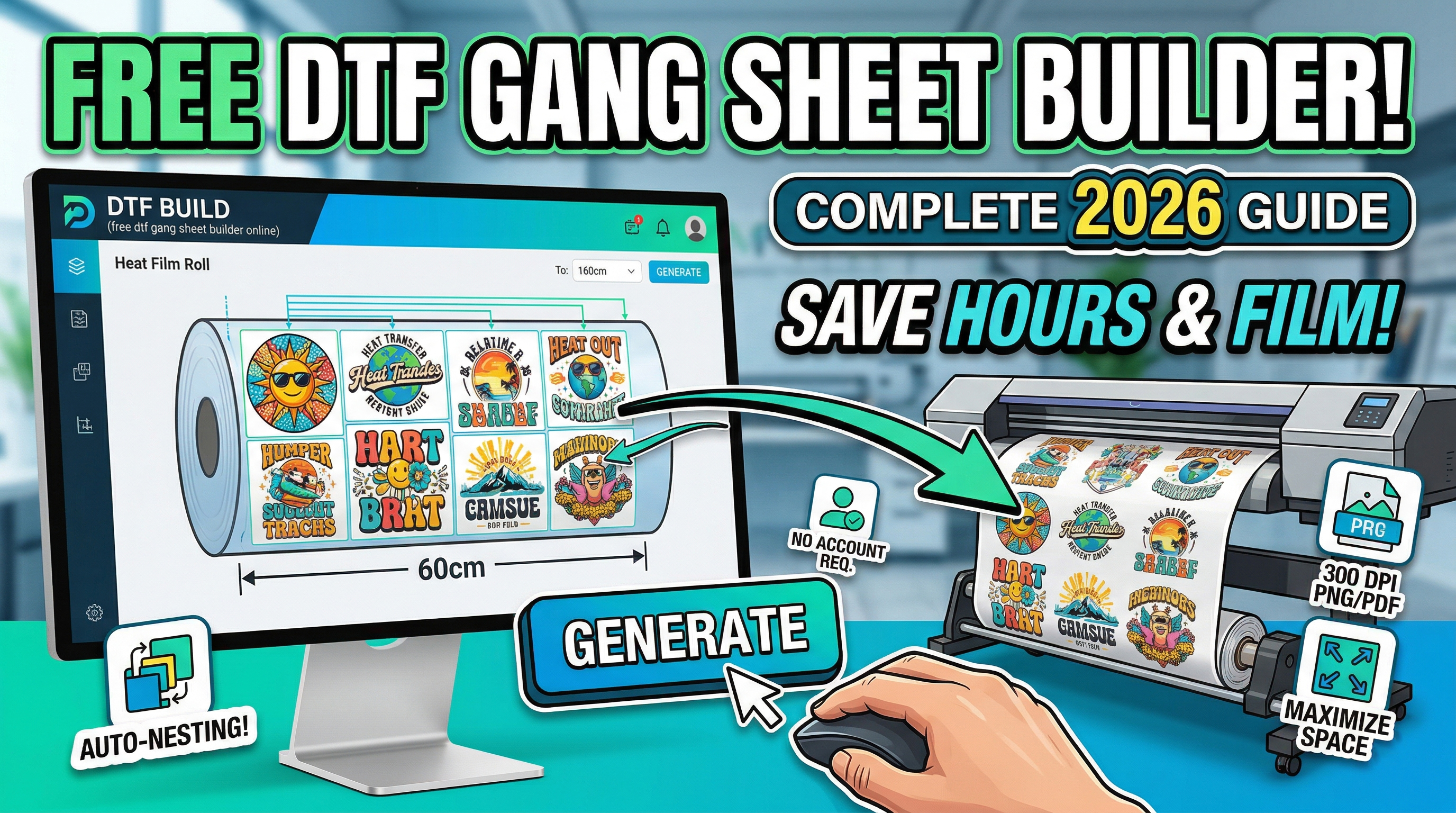
A DTF gang sheet is a single sheet that holds multiple heat-transfer designs arranged side by side, printed all at once on Direct-to-Film (DTF) film. Instead of printing one design at a time and wasting expensive film, you combine 5, 10, or even 100 designs onto one optimized layout.
The problem? Doing this manually in Photoshop or Illustrator can take hours. You have to resize, rotate, and reposition every design by hand, trying to guess the most efficient layout.
That's exactly what a free DTF gang sheet builder solves. Tools like DTF Build do all the heavy lifting automatically — in seconds.
---
What Does a Free Gang Sheet Builder Actually Do?
A good free gang sheet builder should:
- Accept your PNG files (with or without transparent backgrounds)
- Auto-nest designs — automatically rotate and position every design to maximize space
- Let you customize the sheet size — e.g., 30cm, 60cm, or a custom width for your specific DTF roll
- Export a print-ready file — high-resolution transparent PNG or PDF for Acrorip or Cadlink
- Require no account — you shouldn't have to sign up just to arrange a layout
DTF Build checks every one of those boxes, and it's completely free to use.
---
Step-by-Step: How to Use a Free DTF Gang Sheet Builder
Here's how to go from raw design files to a print-ready gang sheet in under 2 minutes:
Step 1 — Upload Your PNG Designs
Open DTF Build and drag and drop your PNG files directly onto the interface. You can upload up to 100+ files at once. The tool reads each file's dimensions and DPI automatically.
Pro tip: For best results, use PNGs with transparent backgrounds. This lets the auto-nesting algorithm calculate the actual shape of your design (not just the bounding box), fitting them tighter together and saving more film.
Step 2 — Set Your Gang Sheet Size
Choose your DTF roll width:
- 30cm — standard narrow roll
- 60cm — standard wide roll
- Custom — enter any width and height for your specific printer
You can also set the spacing between designs (typically 3–5mm for clean cuts).
Step 3 — Auto-Nest and Generate
Click "Generate Gang Sheet". The algorithm automatically:
- Rotates designs to their most space-efficient orientation
- Packs them as tightly as possible onto the sheet
- Calculates multiple sheets if your designs don't all fit on one
The result: a compact, professional gang sheet layout — in seconds.
Step 4 — Export and Print
Download your gang sheet as:
- Transparent PNG at 72, 150, or 300 DPI (your choice)
- PDF for print shop workflows
Both formats are ready to drag straight into Acrorip, Cadlink, DTF Station, or Kothari Print PRO.
---
Why Not Just Use Photoshop or Canva for Free?
This is the most common question from new DTF print shops. Here's the honest answer:
| Tool | Gang Sheet Speed | Auto-Nesting | DTF-Specific | Cost |
|---|---|---|---|---|
| DTF Build | ⚡ Seconds | ✅ Yes (automatic) | ✅ Yes | Free |
| Photoshop | 🐌 30–90 min | ❌ Manual only | ❌ No | $22/mo |
| Canva | 🐌 20–60 min | ❌ Manual only | ❌ No | Free/$15/mo |
| Illustrator | 🐌 30–90 min | ❌ Manual only | ❌ No | $22/mo |
When you're processing 10–20 orders per day, saving 45 minutes per gang sheet adds up to hours of free time every week.
---
How the Auto-Nesting Algorithm Works
The auto-nesting engine in DTF Build uses a bin-packing algorithm that treats every design as a shape to be fitted, not just a rectangle. This matters because:
1. A rectangular bounding box wastes corners and edges
2. The algorithm can rotate designs 90° to find the best fit
3. It runs multiple placement trials and picks the most efficient output
The result is typically 15–30% less wasted film compared to manual layout — even from experienced designers.
---
Common Mistakes When Building Gang Sheets
Whether you use a free gang sheet builder or build manually, avoid these errors:
1. Using JPGs with white backgrounds
White areas count as part of the design and waste film. Always use transparent PNGs for custom heat transfers.
2. Not adding spacing between designs
Set at least 3mm of spacing between designs for clean cutting margins. DTF Build lets you set this directly.
3. Wrong DPI for your printer
Most DTF printers require 300 DPI for sharp results. Export at the right DPI for your RIP software (check Acrorip/Cadlink settings).
4. Ignoring the bleed area
If your customer's design goes right to the edge, add a small bleed buffer to avoid cutting into the design.
---
Is DTF Build Really Free? What's the Catch?
DTF Build is free to use with no subscription, no account, and no hidden fees. The project started as a tool for small print shops and independent designers who couldn't justify expensive nesting software.
The tool makes money through optional supporters (Ko-fi donations) and may introduce a premium tier with higher DPI exports and saved projects in the future. But the core gang sheet builder is free — and always will be.
---
Who Should Use a Free DTF Gang Sheet Builder?
- Small print shops processing 5–50 orders per day
- Independent apparel designers printing their own transfers
- Print-on-demand sellers managing custom orders
- Anyone getting started with DTF printing who doesn't want to invest in expensive software yet
If you're printing more than 100 orders per day and need workflow automation, fleet management, or Shopify integration, a paid tool like Kixxl might make sense. But for the majority of DTF businesses, a free gang sheet builder online is more than enough.
---
Start Building Your First Gang Sheet
Go to dtfbuild.com and try it right now — no account needed. Upload your PNGs, pick your sheet size, and export in under 2 minutes.
The fastest DTF print shops aren't working harder — they're just using better tools.
DTF Build — Free DTF Gang Sheet Builder. Auto-nest designs, export print-ready files. No subscription needed.