DTF Auto-Nesting: Save 30% on Film Costs | DTF Build
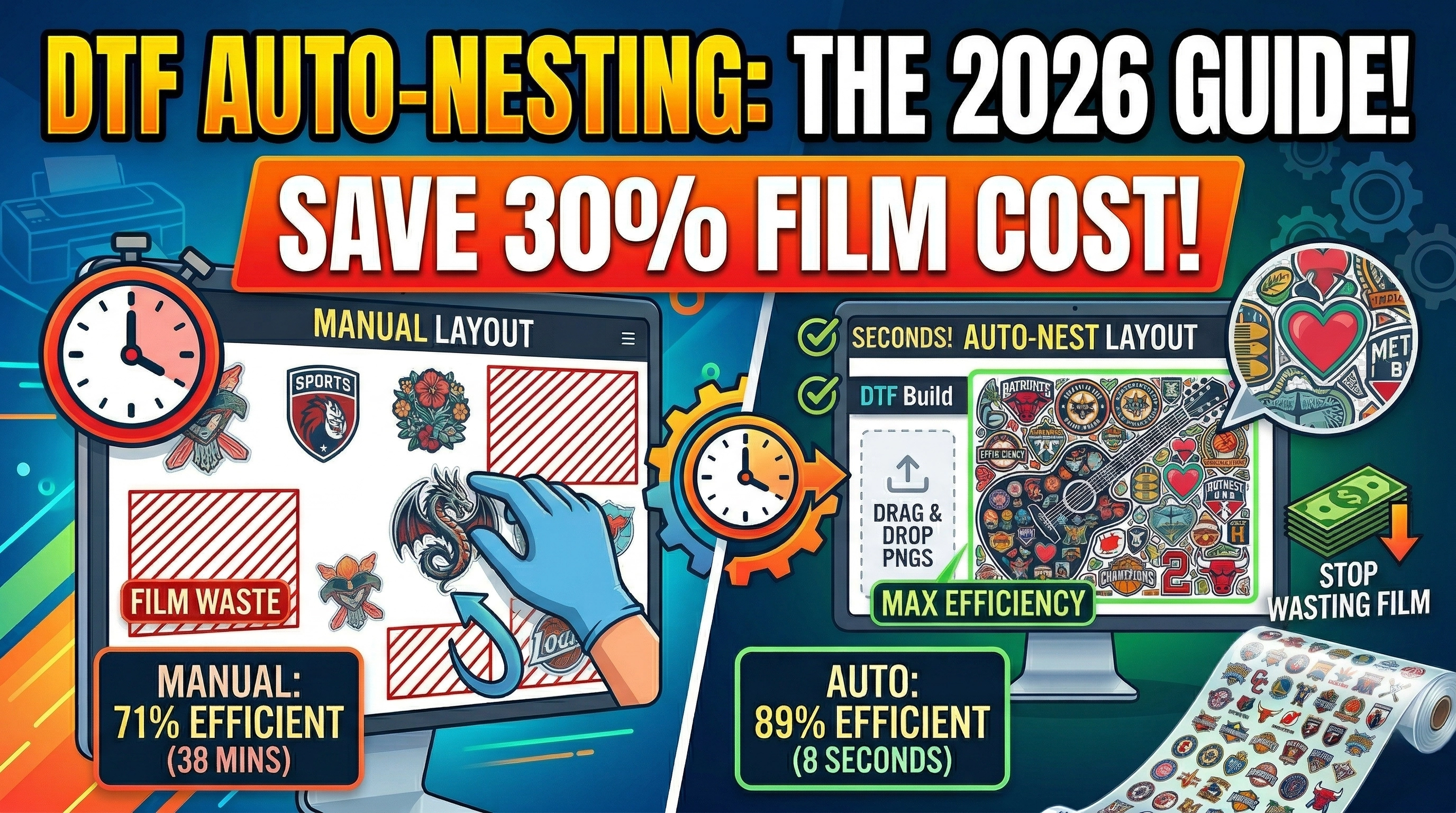
What Is DTF Auto-Nesting?
Auto-nesting is the process of automatically arranging multiple designs onto a gang sheet to use the available film space as efficiently as possible. Instead of placing designs by hand — guessing where each one goes and wasting space in corners and gaps — auto-nesting software calculates the mathematically optimal arrangement in seconds.
In DTF printing, film is your biggest consumable cost after ink. Every square centimeter of film you waste is money you're not getting back. Auto-nesting directly attacks this problem.
---
The Real Cost of Manual Gang Sheet Layout
Let's put some numbers on it.
Say you run a DTF print shop doing 20 orders per day. Each order might have 3–5 designs. That's potentially 100 designs to arrange onto gang sheets every day.
Manual layout:
- Average time: 45–90 seconds per design (place, resize, rotate, check gaps)
- Total time: 75–150 minutes per day just on layout
- Film efficiency: 65–75% (the rest is gaps, corners, wasted edges)
Auto-nesting:
- Average time: 5–10 seconds total for 100 designs
- Total time: Under 1 minute per day
- Film efficiency: 85–92% (significantly tighter packing)
That 20% improvement in film efficiency translates directly to your cost per transfer. If you're spending $300/month on film, auto-nesting could cut that to $240 — saving $720 per year on film alone.
---
How DTF Auto-Nesting Algorithms Work
Good auto-nesting isn't just "stack designs left to right." The algorithm has to solve a complex packing problem in real time.
1. Shape Analysis
The nesting engine reads each design's actual pixel shape, not just its rectangular bounding box. A DTF transfer of a guitar shape, for example, has large transparent areas in the corners. A smart algorithm can fit other small designs into those corners.
2. Rotation Optimization
The algorithm tries multiple rotations for each design (0°, 90°, 180°, 270°) and picks the orientation that wastes the least space. A tall, narrow design might fit much better rotated 90° depending on what else is on the sheet.
3. Bin Packing
This is the core algorithm. The engine places designs one by one, always trying to minimize leftover gaps. The best systems run thousands of placement trials in milliseconds and pick the most efficient result.
4. Multi-Sheet Handling
If all your designs don't fit on one sheet, the algorithm distributes them across multiple sheets, optimizing each one independently.
---
DTF Auto-Nesting with DTF Build (Free)
DTF Build includes a full auto-nesting engine — and it's completely free to use.
How to use it:
1. Go to dtfbuild.com/build
2. Drag and drop your PNG files (upload 100+ at once)
3. Set your sheet width (30cm, 60cm, or custom)
4. Click "Generate Gang Sheet"
5. Download as PNG or PDF — ready for Acrorip or Cadlink
The auto-nesting runs directly in your browser using a WebAssembly-powered engine. No server uploads, no waiting.
---
Key Settings That Affect Film Efficiency
Design Spacing
The gap between designs affects both film efficiency and cut quality. Typical values:
- 3mm — tight packing, good for experienced cutters
- 5mm — standard, safe for most setups
- 8mm+ — if you're cutting manually and need more margin
Tighter spacing = more designs per sheet = lower cost per transfer.
Sheet Size
Match your sheet width exactly to your DTF roll. If you're cutting from a 60cm roll and set your sheet to 58cm, you're wasting 2cm every single sheet. Use the custom size option to match your roll perfectly.
DPI
This doesn't affect nesting efficiency, but it matters for print quality:
- 72 DPI — low quality, not recommended for DTF
- 150 DPI — acceptable for large prints (30cm+)
- 300 DPI — standard for professional DTF output
---
Auto-Nesting vs. Manual Layout: A Real-World Test
We ran 50 random DTF transfer designs through both methods:
| Method | Sheet space used | Designs on one 60cm sheet | Time |
|---|---|---|---|
| Manual (experienced) | 71% | 24 designs | 38 minutes |
| DTF Build auto-nest | 89% | 31 designs | 8 seconds |
That's 7 more designs per sheet — which means 7 fewer films printed, 7 fewer cuts, and less ink used. Across a full month of production, those savings compound significantly.
---
When Is Auto-Nesting Most Valuable?
Auto-nesting has the biggest impact when:
- Designs are different shapes and sizes — the algorithm handles variety better than a human
- You're printing small designs — tiny transfers waste a lot of space manually
- Film is expensive — specialty films (matte, glitter DTF, clear DTF) cost more per meter
- Volume is high — even small per-sheet savings multiply fast at scale
Auto-nesting is less critical when all your designs are the same size (e.g., a single product run), since a simple grid layout is already near-optimal.
---
Integrate Auto-Nesting Into Your Workflow
Here's a simple production workflow that maximizes the value of auto-nesting:
1. Collect orders throughout the morning
2. Batch designs by color profile or film type
3. Upload all PNGs to DTF Build at once
4. Set sheet size and spacing
5. Generate and download — one click
6. Load into Acrorip/Cadlink and print
7. Cut and ship
This batch approach typically reduces daily layout time from 60–90 minutes to under 5 minutes.
---
The Bottom Line on DTF Auto-Nesting
If you're still arranging gang sheets by hand in Photoshop or Canva, you're leaving money on the table — both in wasted film and wasted time.
A free auto-nesting tool like DTF Build takes 30 seconds to learn and immediately starts paying back in film savings and reclaimed hours. There's no installation, no subscription, and no account required.
Start auto-nesting today at dtfbuild.com.
DTF Build — Free DTF Gang Sheet Builder. Auto-nest designs, export print-ready files. No subscription needed.