Canva vs. Photoshop for DTF Gang Sheets | DTF Build
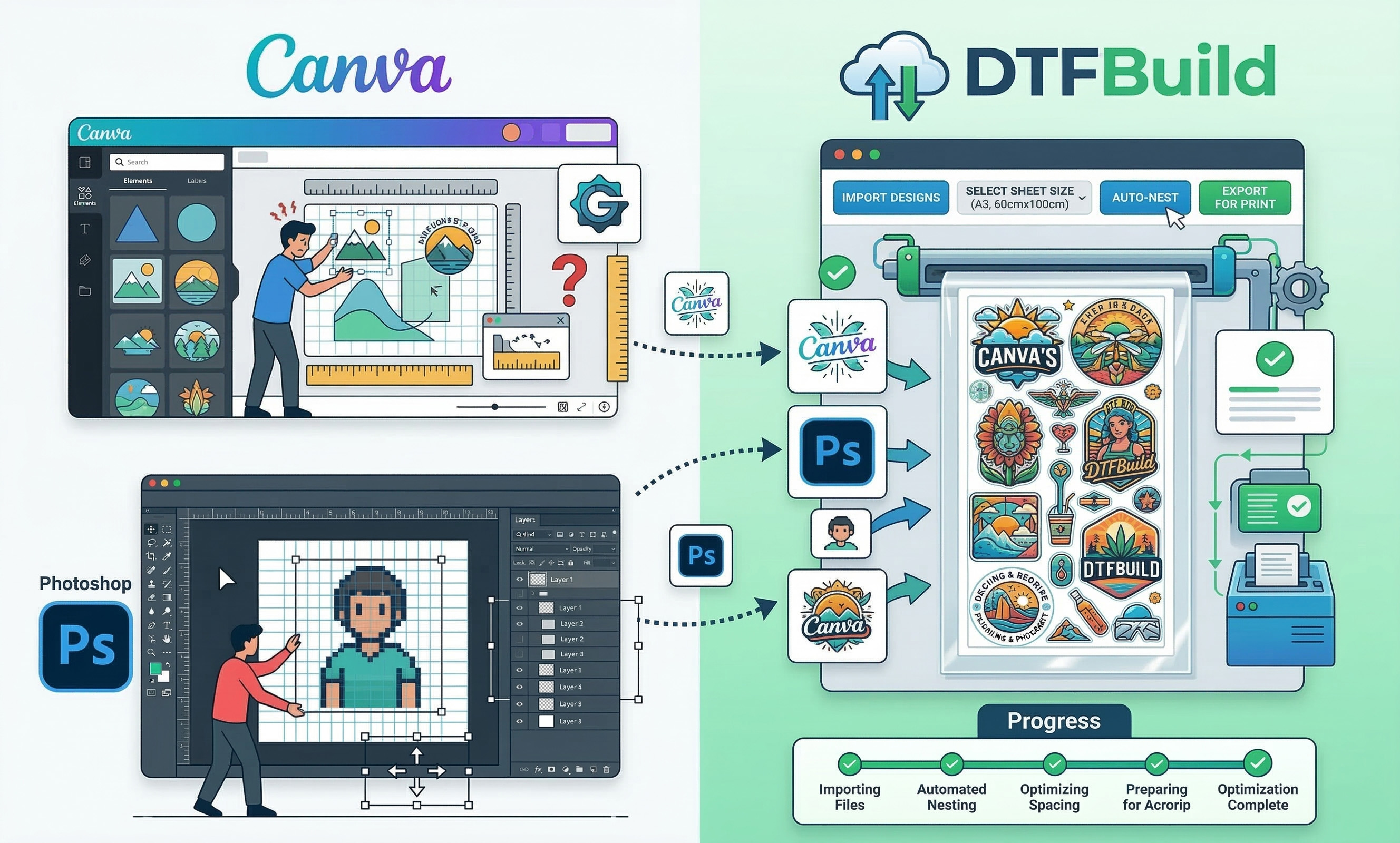
When starting a Direct-to-Film (DTF) printing business, the first question everyone asks is: "What software should I use to make my gang sheets?"
If you ask in Facebook groups or online forums, you will immediately see a divide. Some swear by Canva for its simplicity. Others refuse to use anything but Adobe Photoshop or Illustrator.
But as your print shop grows, you quickly realize that designing a logo and packing a 60cm roll of film are two entirely different jobs. Let's break down the pros, cons, and the ultimate workflow for creating DTF gang sheets.
1. Canva: The Beginner's Favorite
Canva has revolutionized graphic design by making it accessible to everyone.
The Pros:
* Completely web-based and incredibly easy to use.
* Massive library of fonts and elements for quick text-based designs.
The Cons (For DTF):
* Dimension Nightmares: Canva struggles with exact centimeter measurements for print production.
* Resolution Risks: Exporting true 300 DPI transparent PNGs requires a paid Canva Pro account, and even then, compression can sometimes cause blurry edges.
* Manual Layout: You still have to drag, drop, and resize every single logo by hand to fill your sheet.
2. Adobe Photoshop & Illustrator: The Professional Standard
Adobe is the undisputed king of professional graphic design.
The Pros:
* Absolute control over resolution, DPI, and color profiles (CMYK/RGB).
* Perfect for creating complex, high-quality vector graphics (Illustrator) or detailed raster images (Photoshop).
The Cons (For DTF):
* Expensive and Heavy: Requires a paid monthly subscription and a powerful computer to run smoothly without crashing on massive 5-meter gang sheet files.
* The "Tetris" Problem: Adobe software is built for designing, not packing. Arranging 40 different chest logos, back graphics, and neck tags to perfectly fit a 60cm width is entirely manual. It takes hours of your valuable time and often leaves wasted "dead space" on your expensive film.
3. Dedicated Gang Sheet Builders: The Production Solution
What happens when you stop trying to use a hammer to drive a screw? You look for the right tool.
Dedicated gang sheet builders are software specifically engineered for the production side of printing.
The Pros:
* Smart Auto-Nesting: You don't place the images. You bulk-upload your folder of designs, and an algorithm mathematically calculates the tightest possible layout, rotating and locking images together in seconds.
* Zero Wasted Film: By letting a computer handle the packing, efficiency routinely hits over 80%, saving you massive amounts of film per roll.
Automated Quality Control: Good builders will instantly read the DPI of your uploaded files and give you a green "High Quality" or red "Low Quality" warning before* you print.
The Cons:
* You cannot "design" a logo from scratch inside them. They require you to upload finished PNG or SVG files.
The Ultimate Workflow
The most profitable print shops don't choose just one; they use a hybrid approach.
Step 1 (Design): Use Canva, Photoshop, or Illustrator to actually create your artwork and export it as a transparent, high-resolution PNG.
Step 2 (Production): Upload those finished files into a dedicated tool like DTF Build.
With DTF Build, you can skip the manual layout entirely. Just define your roll width (like 30cm or 60cm), drop in your designs, and hit "Generate." In less than 10 seconds, the auto-nesting algorithm packs your sheet perfectly, allowing you to download a print-ready file instantly.
Design in your favorite app. Pack your sheets with automation. Save your time and your film.
DTF Build — Free DTF Gang Sheet Builder. Auto-nest designs, export print-ready files. No subscription needed.