Best Free DTF Software for Print Shops in 2026 | DTF Build
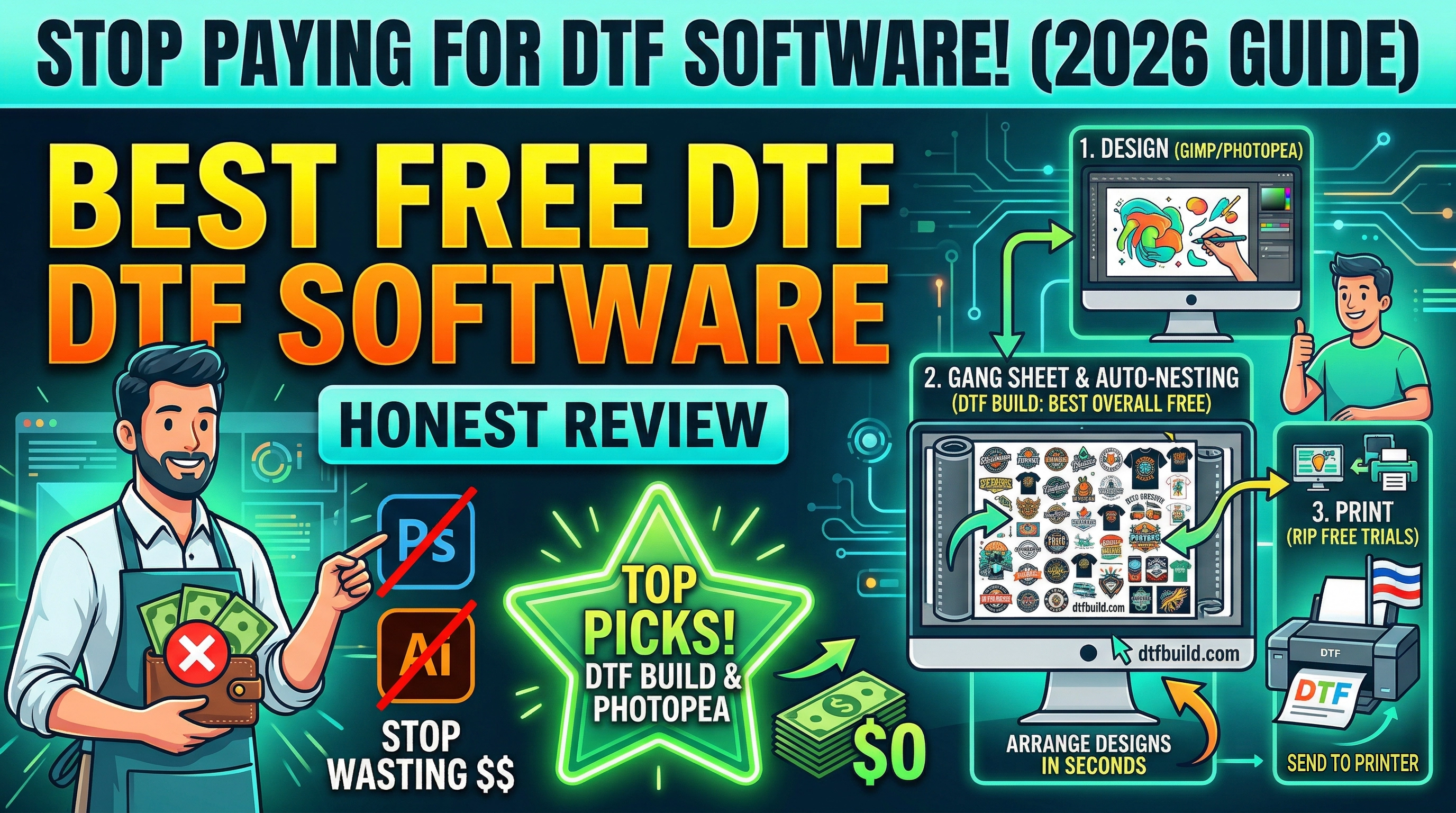
The Best Free DTF Software in 2026 (Honest Review)
Running a DTF print shop means managing costs constantly. Software is one area where you should not be overpaying — especially when excellent free options exist for every stage of the workflow.
This guide covers the best free DTF software available in 2026, organized by use case:
1. Gang sheet builders (arrange designs before printing)
2. Auto-nesting tools (maximize film usage)
3. RIP software (send to printer)
4. General design tools (create and edit DTF artwork)
---
1. Best Free DTF Gang Sheet Builders
🥇 DTF Build — Best Overall Free Option
dtfbuild.com | Free | No account required
DTF Build is the most capable completely free gang sheet builder available in 2026. It runs entirely in your browser — no installation, no account, no subscription.
What it does:
- Auto-nesting algorithm (not just drag-and-drop — fully automatic)
- Upload 100+ PNG files at once
- Supports 30cm, 60cm, or custom sheet widths
- Exports transparent PNG at 72/150/300 DPI and PDF
- Compatible with Acrorip, Cadlink, DTF Station, Kothari Print PRO
- Multi-language: English, French, Spanish, German, Arabic
Pros:
- Completely free, forever (no freemium limits)
- True auto-nesting (not just manual drag-and-drop)
- Works in any browser, any OS
- No watermarks on exports
Cons:
- No saved projects (yet)
- No Shopify integration (for customer-facing ordering)
- Limited to PNG uploads
Best for: Small to medium print shops (up to ~100 orders/day)
---
🥈 Supplier-Hosted Gang Sheet Tools
Many DTF suppliers include free online builders directly on their websites — but you can only use them to place orders with that supplier. Examples: Fast DTF Transfer, Maryland DTF, and Transfer Kingdom all have web-based tools.
Pros: Free and simple
Cons: Locks you to one supplier, no download of standalone files, limited auto-nesting (usually manual drag-and-drop)
Best for: Businesses buying DTF transfers from a single supplier
---
🥉 Dripsapp (Gang Sheet Builder)
dripsapp.com | Free tier available
Dripsapp has a user-friendly gang sheet builder with manual drag-and-drop layout. It's primarily designed for customer-facing customization (your customers build their own sheet) rather than shop-side production.
Pros: Great customer UX, Shopify integration
Cons: Auto-nesting is limited on free tier, primarily for print-on-demand businesses
Best for: Shopify-based DTF order businesses
---
2. Best Free DTF Auto-Nesting Tools
Auto-nesting is distinct from just "building" a gang sheet — it's the automatic optimization of layout to minimize film waste.
DTF Build Auto-Nesting (Free)
As covered above, DTF Build includes a real auto-nesting engine at no cost. For a standalone free nesting tool, this is currently the best option.
Deepnest (Open Source)
deepnest.io | Free and open source
Deepnest is an open-source nesting application that uses true-shape nesting. It's powerful but requires desktop installation and has a learning curve.
Pros: True-shape nesting, handles complex shapes
Cons: Desktop only, slow on large batches, not DTF-specific, no built-in export to RIP-compatible formats
Best for: Technical users who want maximum nesting control
Manual Layout in Photoshop/Illustrator
Still widely used, still free if you use a licensed version. But at 45–90 minutes per gang sheet, the real cost is your time.
Best for: Designers who only do a few sheets per week
---
3. Free RIP Software Options for DTF
RIP (Raster Image Processor) software is what you use to send your print job to the DTF printer. Most RIP software is paid, but there are limited free options:
Acrorip (Trial)
The most popular DTF RIP software. Acrorip offers a free trial period, after which you'll need a license. It's industry-standard for good reason — excellent color management and ink cost estimation.
- Cost: Free trial → Paid license
- Best for: Epson-based DTF conversions
Cadlink (Trial)
Another industry standard. Cadlink's Digital Factory handles DTF, UV, and sublimation. Free trial available.
- Cost: Free trial → Paid subscription
- Best for: Shops with multiple print technologies
There's No Good Free Permanent RIP for DTF
This is the honest truth. Professional DTF RIP software is almost always paid. The alternatives:
- Print from Adobe apps: Works but no ink optimization or gang sheet handling at the RIP level
- GIMP + print plugins: Not recommended for production DTF
If you're serious about DTF production, budget for Acrorip or Cadlink. The gang sheet builder can be free — the RIP software is where a paid investment makes sense.
---
4. Free Design Software for DTF Artwork
For creating and editing DTF artwork before building your gang sheet:
GIMP (Free, Open Source)
A powerful free alternative to Photoshop. Full layer support, transparent PNG export, and a large plugin library.
Best for: Photo editing, creating DTF-ready PNGs from scratch
Inkscape (Free, Open Source)
The best free vector editor. Great for logos, lettering, and scalable DTF artwork.
Best for: Vector-based DTF designs (logos, text, graphics)
Photopea (Free, Browser-Based)
Photoshop in your browser, completely free. Supports PSD files, layers, and transparent PNG export.
Best for: Designers who know Photoshop but don't want to pay for it
Canva (Free Tier)
Easy to use but limited for professional DTF work. Transparent background export requires the paid plan.
Best for: Beginners creating simple designs
---
The Complete Free DTF Software Stack (2026)
Here's the combination we recommend for a fully free DTF workflow:
| Stage | Free Tool | What It Does |
|---|---|---|
| Design creation | Photopea or GIMP | Create DTF-ready PNG artwork |
| Gang sheet building | DTF Build | Auto-nest designs onto gang sheets |
| RIP to printer | Acrorip (trial) | Color management & print sending |
This stack costs $0 and can handle production volumes up to 50–100 orders per day before you'll feel the limits.
---
When Should You Pay for DTF Software?
Free software covers most small shop needs. Consider paid tools when:
- Volume exceeds 100 orders/day — at scale, Shopify integration and workflow automation save more than they cost
- You need customer-facing customization — letting customers build their own gang sheet requires a paid solution like Kixxl
- You work with multiple DTF technologies — UV DTF, sublimation, screen printing all at once → Cadlink's multi-technology RIP is worth it
- You need saved projects and team collaboration — free tools are generally single-session, no cloud storage
---
Final Recommendation
For most DTF print shops in 2026, the answer is simple:
Start free. Use DTF Build for gang sheets. Use Photopea for artwork. Use your RIP software's free trial.
When your monthly revenue justifies it, invest in a RIP license and evaluate whether a paid gang sheet platform adds enough value for your volume.
There's no reason to pay for gang sheet building when DTF Build is free, has no watermarks, and handles true auto-nesting. Start there.
DTF Build — Free DTF Gang Sheet Builder. Auto-nest designs, export print-ready files. No subscription needed.