Best Free DTF RIP Software? Honest 2026 Guide | DTF Build
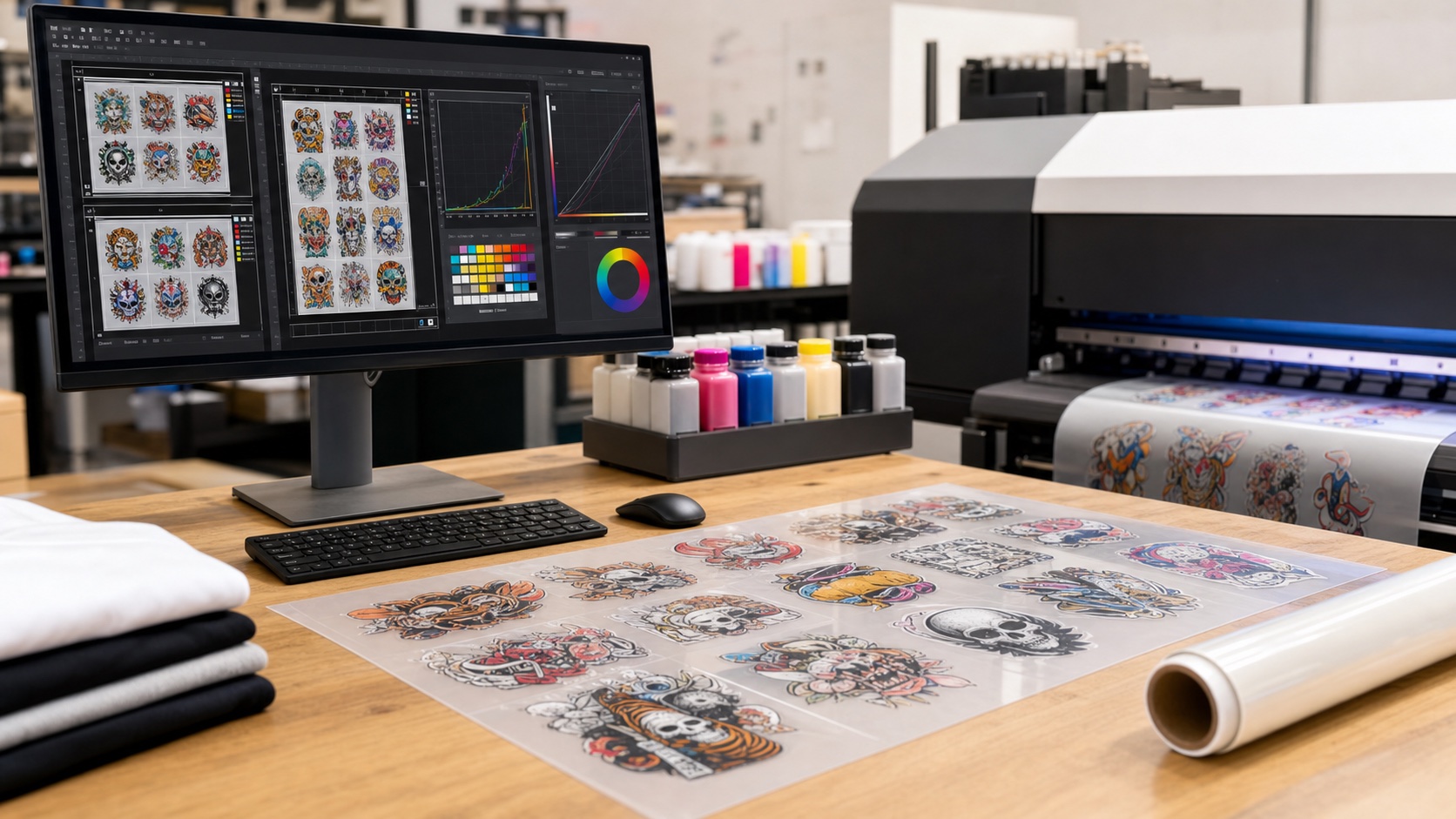
Quick Answer: Is There Truly Free DTF RIP Software?
If you searched for best free DTF RIP software or open source DTF RIP software, here is the honest answer for 2026:
There are excellent free tools for design preparation, transparent PNG editing, and DTF gang sheet building. But a production-ready DTF RIP that controls white ink, ICC profiles, halftones, print channels, mirroring, and printer output is usually paid, bundled with a printer, or available only as a limited trial.
That is not bad news. It simply means your workflow should separate two jobs:
- Use a free DTF gang sheet builder like DTFBuild to upload, auto-nest, and export a clean gang sheet.
- Use a professional RIP such as Acrorip, CADlink Digital Factory, or the RIP included by your printer vendor to handle white ink, color management, and printer-specific output.
This guide shows what is free, what is not, and where open source tools actually fit in a DTF print shop.
DTF RIP Software vs. DTF Gang Sheet Software
These two categories are often mixed together in search results, but they solve different parts of the job.
DTF gang sheet software arranges designs before printing. It helps you combine many PNG files onto one sheet, save film, and export a print-ready PNG or PDF.
DTF RIP software sends that file to the printer. It controls ink channels, white underbase, ICC profiles, halftone patterns, print resolution, ink limits, and printer-specific settings.
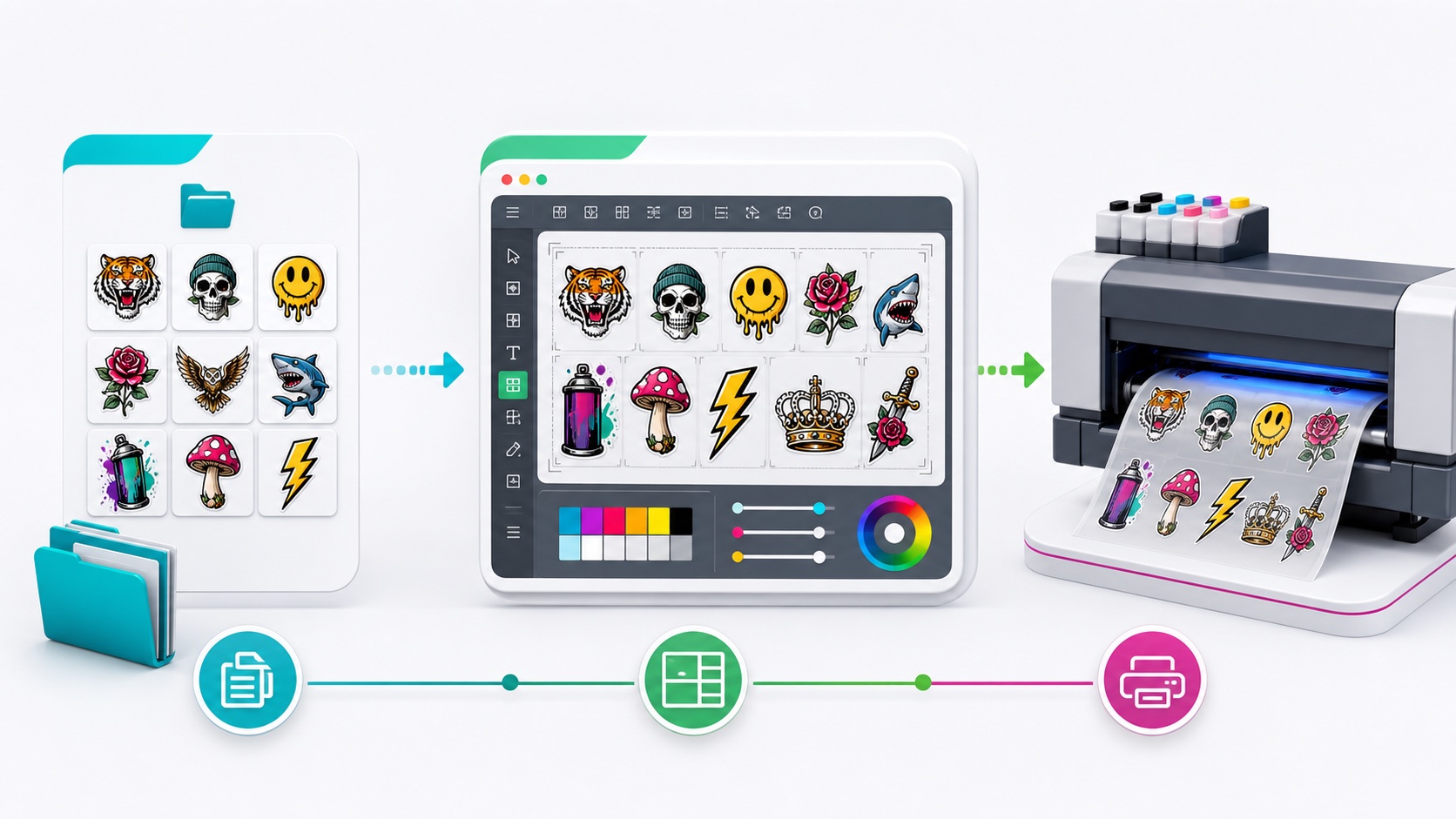
DTFBuild belongs in the first category. It is a free DTF gang sheet builder and auto-nest tool. It is not trying to replace a RIP. Instead, it gives your RIP a cleaner, better prepared file.
What a Real DTF RIP Must Do
A real DTF RIP has to manage things that normal image editors and gang sheet builders do not handle:
- White ink underbase for printing on transfer film
- CMYK plus white channel control for Epson-based and production DTF systems
- ICC color profiles matched to ink, film, powder, and printer setup
- Ink density limits so transfers cure correctly and do not flood
- Halftone and dot control for smoother gradients
- Mirroring and film output settings for transfer workflows
- Printer driver support for the exact machine and port configuration
That is why a permanent free RIP is rare. The difficult part is not just opening a PNG. The difficult part is converting the artwork into reliable printer instructions for a specific ink and hardware setup.
The Best Free DTF Software Stack
For most small print shops, the best free workflow is a stack, not one magic program.
1. Create or clean artwork with GIMP, Inkscape, or Photopea
GIMP is a free and open source image editor for raster artwork, background cleanup, and transparent PNG export.
Inkscape is a free vector design tool that works well for logos, text graphics, and SVG-based artwork before exporting PNG files.
Photopea runs in the browser and supports layered files such as PSD, plus many other design formats. It is useful when you need quick editing without installing desktop software.
2. Build the gang sheet with DTFBuild
DTFBuild is where you upload the finished PNG artwork, choose 30 cm, 60 cm, or custom sheet sizes, auto-nest the designs, and export a transparent PNG or PDF.
This is the part many shops waste time doing manually in Photoshop, Illustrator, Canva, or a supplier ordering tool. For high-volume batches, automatic nesting can save both layout time and film.
3. Print through your RIP
After export, open the gang sheet in your RIP. This is where you apply the correct printer profile, white ink settings, and output mode.
CADlink Digital Factory Direct To Film Edition is one professional DTF RIP option with a free trial listed by CADlink. Acrorip is also widely used in Epson-based DTF workflows, but licensing and reseller availability vary by region, so verify that your copy is genuine and supported before buying.
Open Source DTF RIP Software: What Exists?
The most important thing to know: open source nesting is not the same as open source DTF RIP.
Deepnest is an open source nesting application. It can be useful for shape nesting and technical cutting workflows, but it is not a DTF RIP. It does not replace white ink generation, ICC profile handling, printer channels, or DTF-specific output controls.
Open source tools are still valuable in a DTF shop:
- GIMP can edit and export transparent PNG artwork.
- Inkscape can create scalable vector designs before PNG export.
- Deepnest can help technical users understand nesting and shape placement.
- DTFBuild can handle browser-based gang sheet layout and export.
But none of those tools should be treated as a full production RIP for white ink DTF printing.
Best Free DTF RIP Software Alternatives by Use Case
If you need a free gang sheet builder
Use DTFBuild. It is free, browser-based, and built specifically for DTF gang sheet layout. Upload PNG files, auto-nest, and export PNG or PDF for your RIP.
If you need free artwork editing
Use GIMP for raster cleanup, Inkscape for vector artwork, or Photopea for browser-based PSD-style editing.
If you need open source nesting
Try Deepnest, but understand that it is a nesting tool, not DTF print software.
If you need real printer output
Use the RIP recommended by your printer vendor. For many DTF shops, that means Acrorip, CADlink, or another commercial RIP configured for the exact printer, ink, and film combination.
A Practical DTF Workflow That Keeps Costs Low
Here is a low-cost workflow that works for many small and growing DTF shops:
1. Prepare customer artwork in GIMP, Inkscape, Photopea, Illustrator, or Photoshop.
2. Export transparent PNG files at the correct physical size.
3. Upload all PNGs to DTFBuild.
4. Choose your film width, spacing, and export DPI.
5. Auto-nest and export the gang sheet.
6. Open the exported PNG or PDF in your RIP.
7. Apply your printer profile and white ink settings.
8. Print, powder, cure, press, and quality check.
The key is using the free tool where free works best: layout and preparation. Save your paid software budget for the part where precision matters most: RIP output and color control.
Why "Free DTF RIP Download" Searches Can Be Risky
Be careful with random downloads claiming to be free Acrorip, free CADlink, or cracked DTF RIP software. In production printing, a bad RIP install can cost more than the license:
- Wrong drivers can waste film and ink.
- Incorrect white ink channels can ruin transfers.
- Unknown installers can carry malware.
- Unsupported licenses leave you stuck when a printer profile fails.
If a RIP controls your production printer, use a trusted vendor, official reseller, or the software package supplied with your printer.
FAQ
Is DTFBuild a RIP software?
No. DTFBuild is free DTF gang sheet software. It prepares and exports gang sheets before RIP printing. Your RIP still handles white ink, color profiles, and printer output.
Is there open source DTF RIP software?
There are open source design and nesting tools, but a complete open source DTF RIP for reliable production white ink printing is not a practical mainstream option as of May 2026.
Can I use GIMP instead of a DTF RIP?
GIMP can prepare artwork and export transparent PNG files, but it does not replace DTF RIP features such as white ink channel generation, ICC printer profiles, and halftone control.
What is the best free DTF software?
For gang sheet layout, DTFBuild is the best free place to start. For artwork, use GIMP, Inkscape, or Photopea. For printer output, use the RIP recommended for your hardware.
Final Recommendation
Do not spend money on gang sheet layout until you have to. Use DTFBuild for free auto-nesting and export, then send that clean file to a reliable RIP.
That gives you the best of both worlds: free DTF gang sheet software where free tools are strong, and professional RIP control where print quality depends on it.
DTF Build — Free DTF Gang Sheet Builder. Auto-nest designs, export print-ready files. No subscription needed.